 Seasoned
Turn your edits into presets.
Save selections from your Premiere Pro timeline as presets and reuse them in any edit. Get the free plugin

Select
Select anything on your timeline: a title, a transition, a sound, all three together.
Save
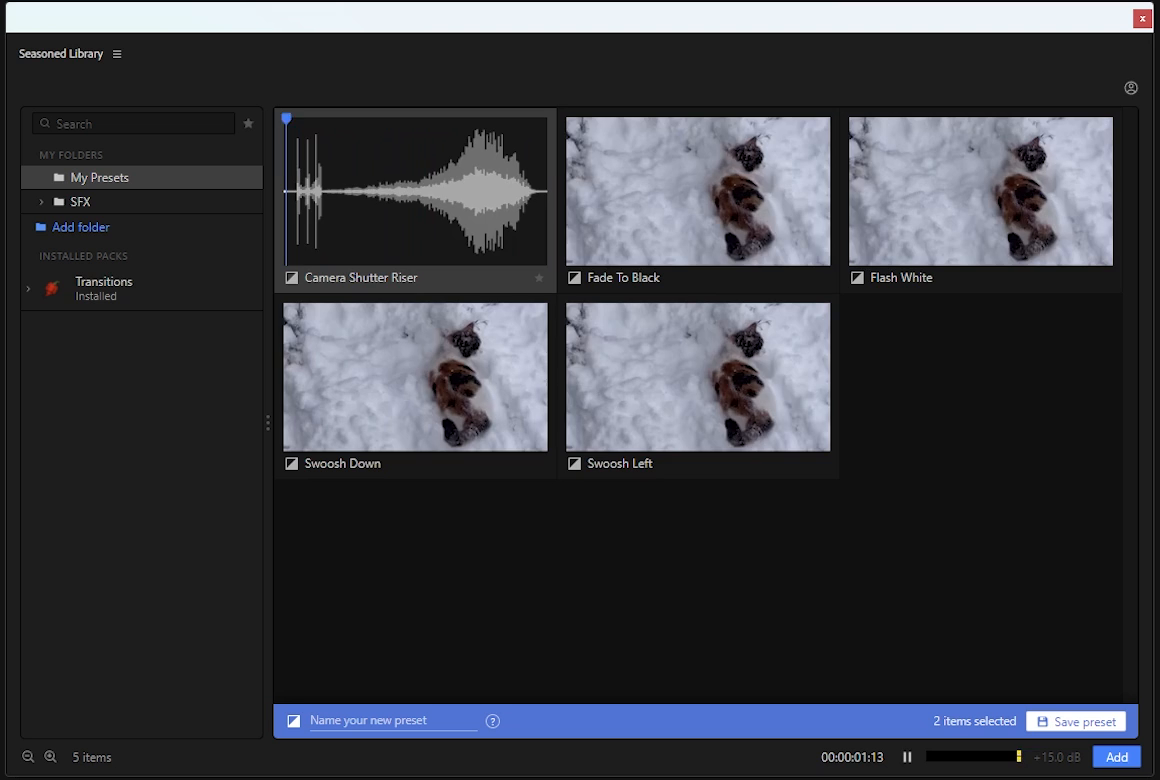
One click in the Seasoned panel saves it as a preset, with a preview to find it by.
Drop
Drag your preset onto the timeline. It lands where you let go, sized to your sequence.
Good to know
Is the plugin really free? Yes. Browse an unlimited personal asset library and save 20 personal presets for free. Seasoned Pro unlocks unlimited personal presets with a one-time purchase. Packs are separate one-time purchases.
What can I save as a preset? Selections of clips, adjustment layers, titles, effects and sound. Each preset is a file with its media and a preview inside. Third-party effects, fonts or other software may need to be installed and licensed separately.
What do I need? Premiere Pro 2025 or newer, on Windows 10 or 11. Seasoned isn’t on Mac yet; the download page has a list to join.
Can I hear a pack before buying it? Every item in every pack plays here and on its page, exactly as it does in the panel, so you know what you get.
How do I get a pack I bought? Log in to Seasoned in the panel with the same email, choose the pack and it downloads. It’s yours to keep.
Can I use it on more than one computer? Yes, on up to two at once. You can log out an old computer from your account page to free a place.
What if a pack isn’t right for me? You can have your money back within 14 days of buying it, for any reason. The refunds page says how.
Can I use the packs in client work? Yes. Use them in the videos you make, for yourself or for clients. Just don’t resell or share the files themselves.